Coming Soon — TestFlight
Obsidian
Clipper
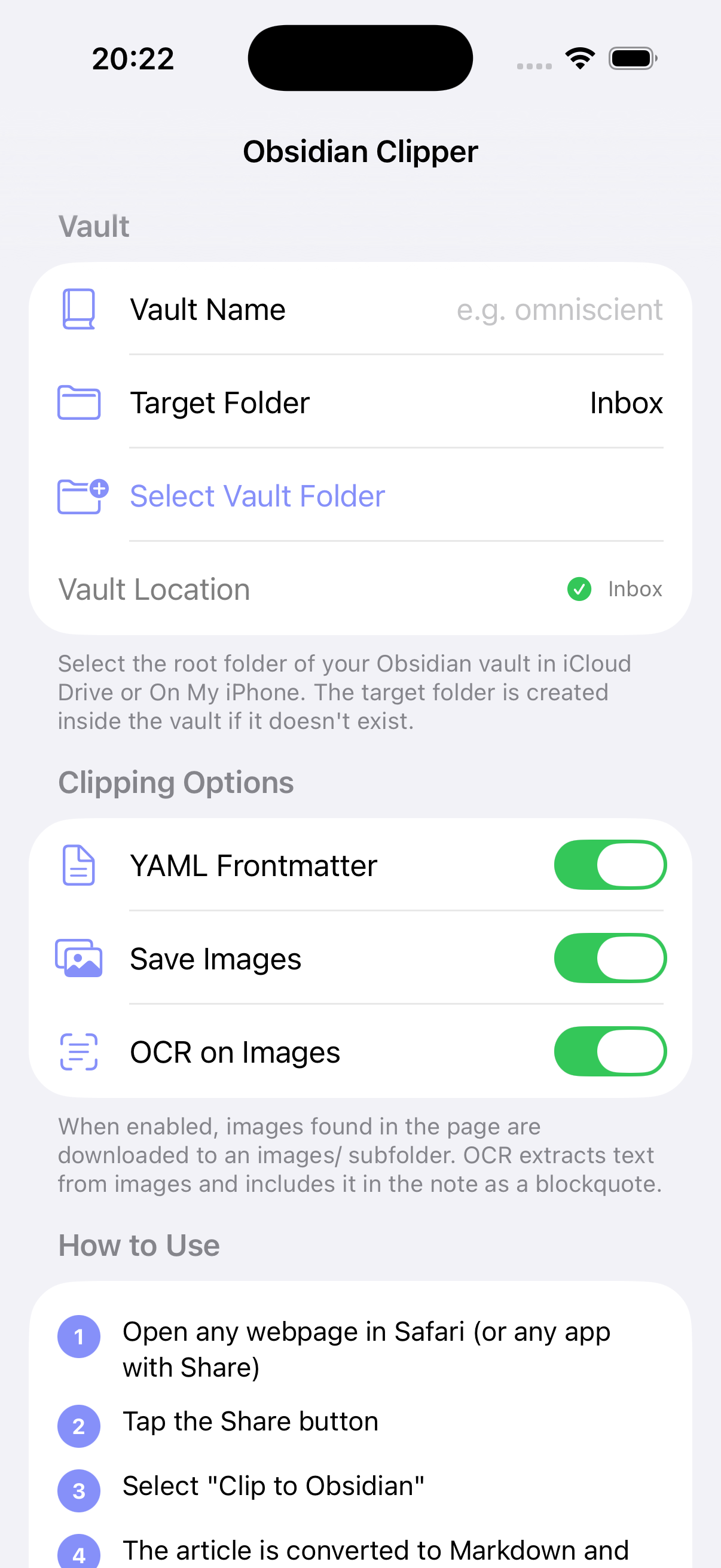
Clip any web page, text, or image into your Obsidian vault as clean Markdown — straight from the iOS Share Sheet. Image extraction and on-device OCR included. No plugin required.
MIT licensed · Open source
How it works
Three taps. Zero plugins.
Obsidian Clipper installs a Share Extension. Anywhere iOS lets you tap Share — Safari, X, Reddit, Mail, Messages, RSS readers — Clipper shows up alongside the system actions.
Step 01
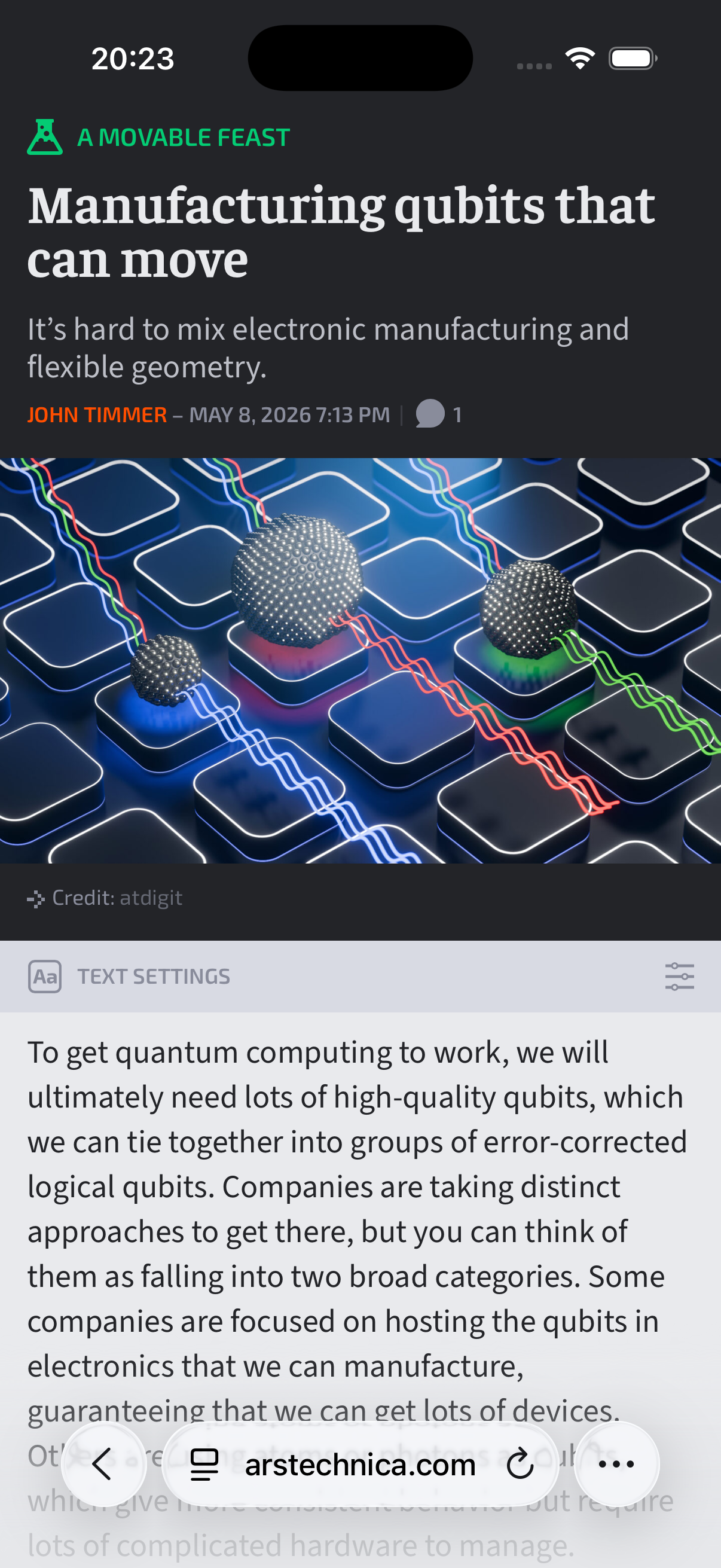
Open the page
Read the article like you normally would. In Safari, the extension uses live DOM preprocessing — what you see is what gets clipped, even behind logins or paywalls you're authenticated into.
Step 02
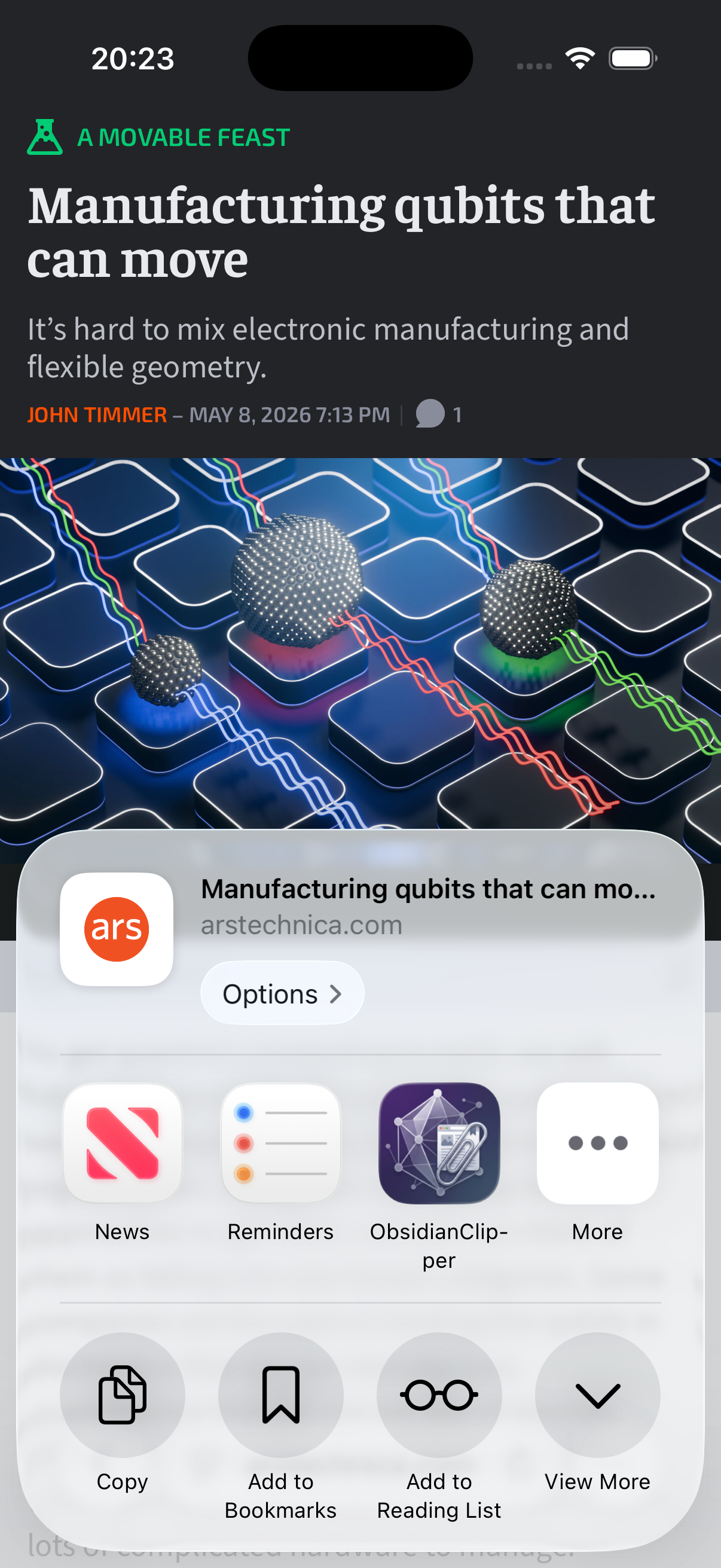
Tap Share → Clip to Obsidian
The extension activates on URLs, plain text, HTML, and images. URLs embedded in shared text (X, Reddit, Messages) are auto-detected and fetched.
Step 03
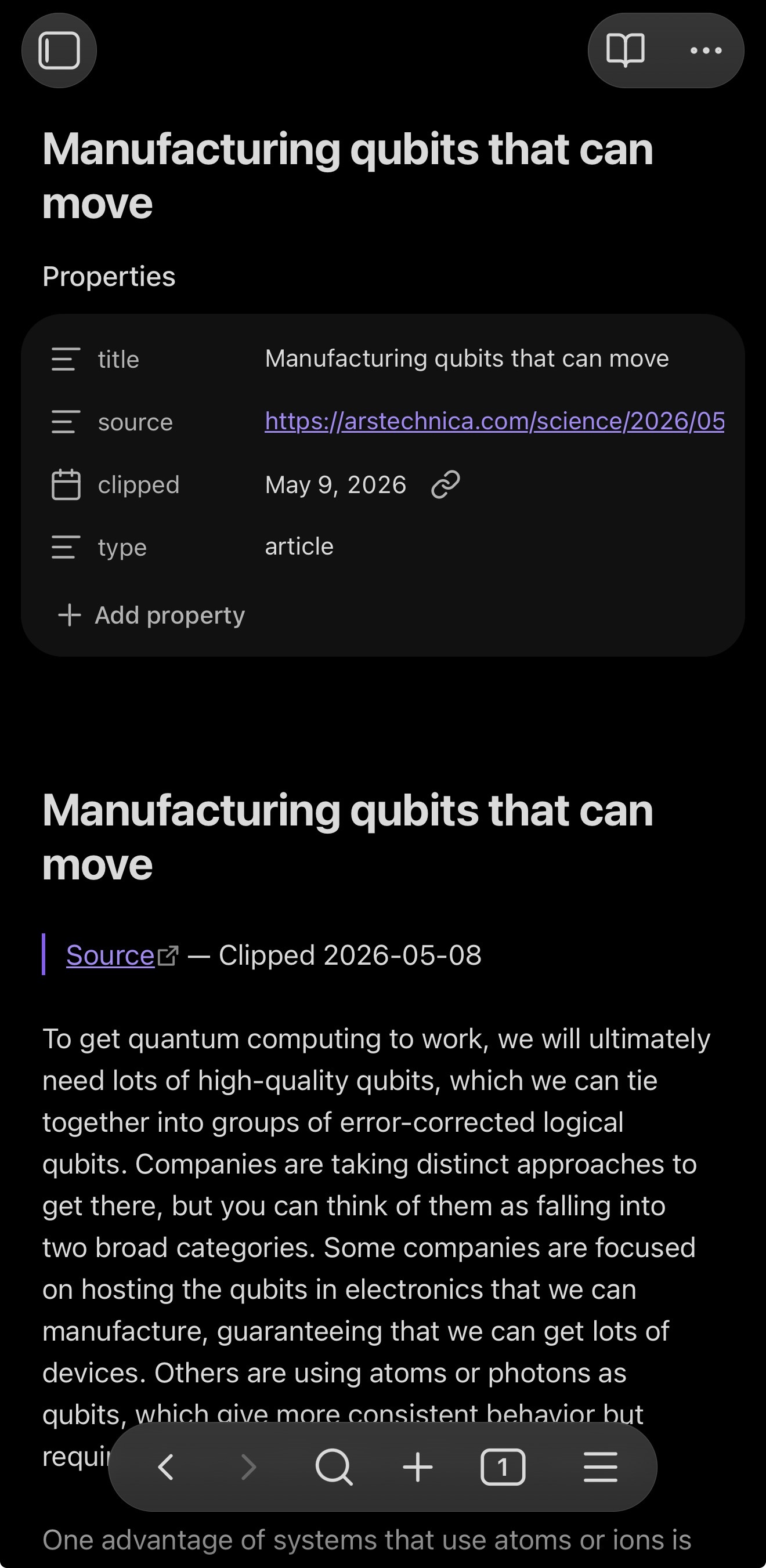
Find it in your vault
A self-contained folder lands in your chosen target folder: the Markdown note, an images/ subfolder, and YAML frontmatter ready to query in Dataview.
Features
Built like a real app.
Not a webview wrapper.
A native iOS Share Extension. Pure Swift. SwiftSoup for parsing, Apple Vision for OCR, Mozilla Readability–inspired scoring for extraction. Everything runs on-device.
Share from anywhere
Activates on URLs, text, HTML, and images. Works in every iOS app with a Share button, not just Safari.
Live DOM in Safari
A JavaScript preprocessing file hands the extension the rendered page — including authenticated and JS-hydrated content. No re-fetch surprises.
JSON-LD fast path
When the publisher embeds a Schema.org Article block (Wired, NYT-style sites), the extractor uses the canonical body directly. ~30–40× faster than scoring.
Readability fallback
When JSON-LD doesn't fire, a SwiftSoup-parsed scoring pass picks the article subtree and excludes navigation, ads, sidebars, cookie banners, and related-articles.
Inline image extraction
Pulls srcset, data-src, data-lazy-src, data-original, and <picture><source>. Streams to disk so the extension stays under iOS's memory budget.
On-device OCR
Apple Vision recognizes text in clipped images. A coverage filter drops OCR output when text is incidental — no signage or license-plate noise.
Self-contained clips
Each clip becomes its own folder with the Markdown note and an images/ subfolder. Move it in Obsidian and the images move with it.
Clean Markdown
Headings, lists, code blocks, blockquotes, tables, links, inline images — all rendered by a tree-walking Markdown converter, not a regex hack.
Privacy-first
No server, no analytics, no telemetry. Everything runs on-device. HTTPS-only ingress; javascript:, file:, ftp:, and data: URLs are rejected.
Output
Markdown that opens cleanly in Obsidian.
Each clip is a folder you can move, archive, or link from anywhere in your vault. YAML frontmatter is sanitized (no key injection from titles with newlines), filenames are sanitized (no Windows-reserved names slipping through), and image paths are relative.
Folder layout
<Vault>/
└── Inbox/
    └── Manufacturing qubits that can move/
        ├── Manufacturing qubits that can move.md
        └── images/
            ├── 3f2a-1.png
            └── 3f2a-2.jpg
Note contents
---
title: "Manufacturing qubits that can move"
source: "https://arstechnica.com/..."
clipped: 2026-05-08
type: article
---
# Manufacturing qubits that can move
> [Source](https://arstechnica.com/...) — Clipped 2026-05-08
To get quantum computing to work, we will
ultimately need lots of high-quality qubits…

## Extracted Text (OCR)
### 3f2a-1.png
> Recognized text from the image
> via Apple Vision…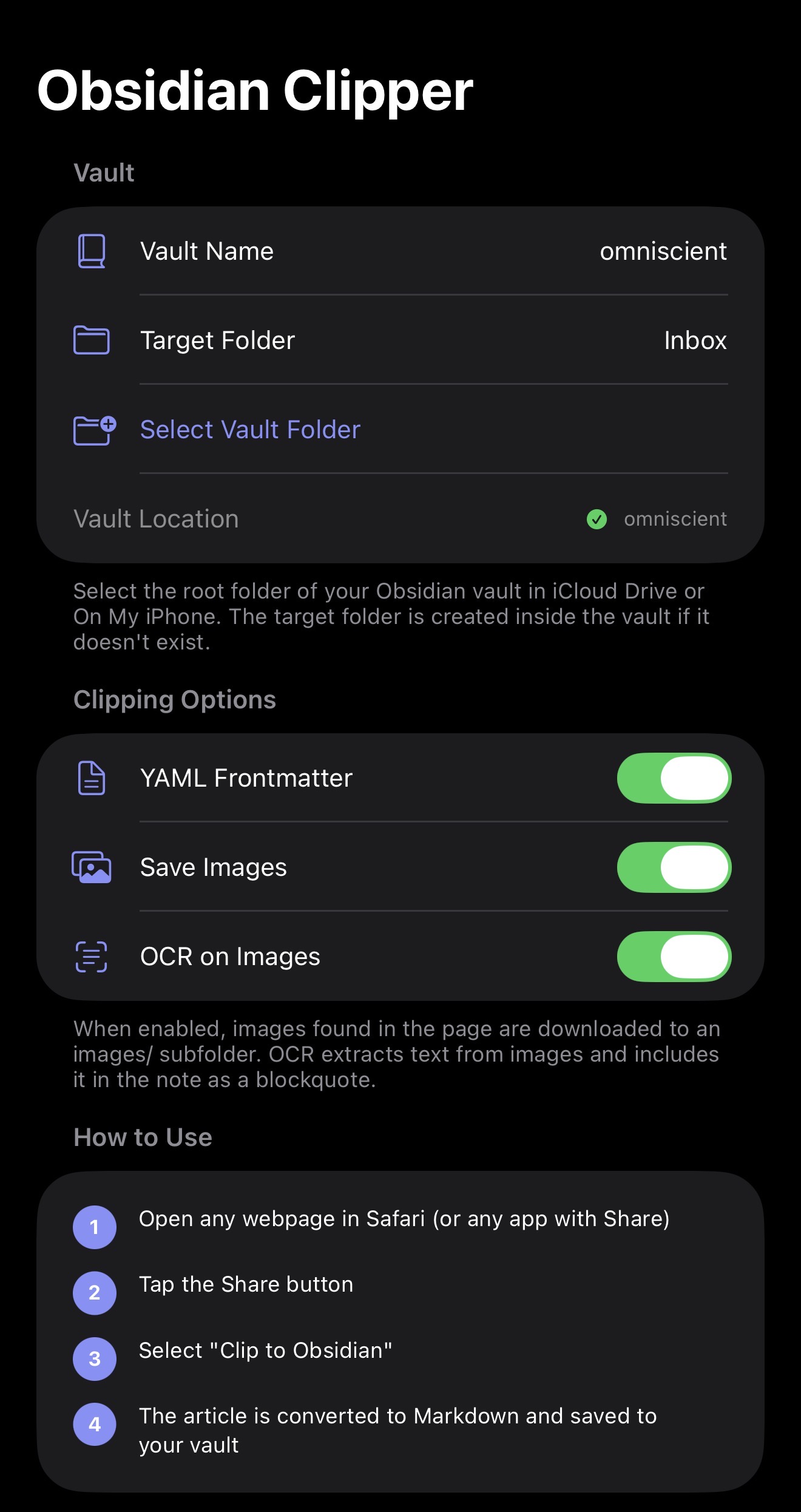
Privacy & safety
Your notes never leave your device.
No server. No analytics SDK. No telemetry. The extension fetches the page you shared, processes it on-device, and writes Markdown to the vault folder you chose. That's it.
-
On-device only
Extraction, OCR, and Markdown rendering all run inside the share extension. Nothing is sent to MMTAC or anyone else.
-
HTTPS-only ingress
file://, javascript:, ftp:, and data: URLs are rejected at every network boundary.
-
Memory-aware
Streams images to disk; drops concurrency on iOS memory warnings; downscales large images before OCR. Stays under iOS's ~120 MB extension budget.
-
Per-clip caps
20 images max, 50 MB cumulative cap, 15-second per-image timeout. 2 MB HTML cap.
-
Sanitized output
YAML values escape newlines, quotes, backslashes, tabs. Filenames strip invalid characters and Windows-reserved names.
Requirements
What you'll need.
iOS
17.0 or later
Vault
Obsidian on iCloud Drive or local Files
Cost
Free · MIT-licensed
Be one of the first to clip.
Obsidian Clipper is on TestFlight. Tap to install the latest beta — you'll need the TestFlight app on your iPhone or iPad.
Questions? Reach us at dev@mmtac.com